xlsxwriter 차트 그리기
2023. 11. 23. 19:58ㆍ개발/Xlsxwriter
728x90
반응형
XlsxWriter를 사용한 Excel 프로그래밍
차트 그리기
- 차트 그리기
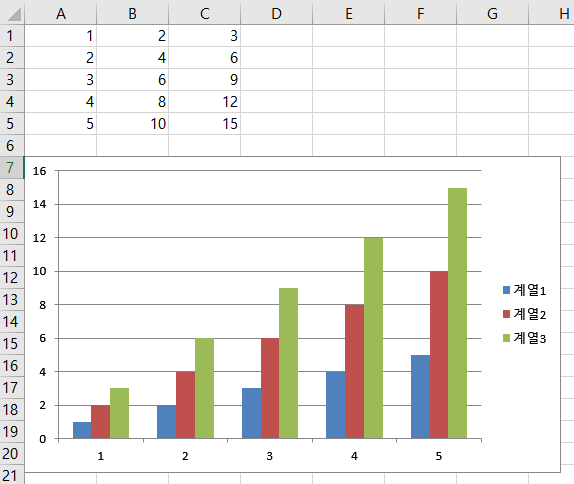
chart = workbook.add_chart({'type': 'column'}) # 타입 바꾸기

data = [
    [1, 2, 3, 4, 5],
    [2, 4, 6, 8, 10],
    [3, 6, 9, 12, 15],
]

worksheet.write_column('A1', data[0])
worksheet.write_column('B1', data[1])
worksheet.write_column('C1', data[2])

chart.add_series({'values': '=Sheet1!$A$1:$A$5'})
chart.add_series({'values': '=Sheet1!$B$1:$B$5'})
chart.add_series({'values': '=Sheet1!$C$1:$C$5'})

worksheet.insert_chart('A7', chart)
column
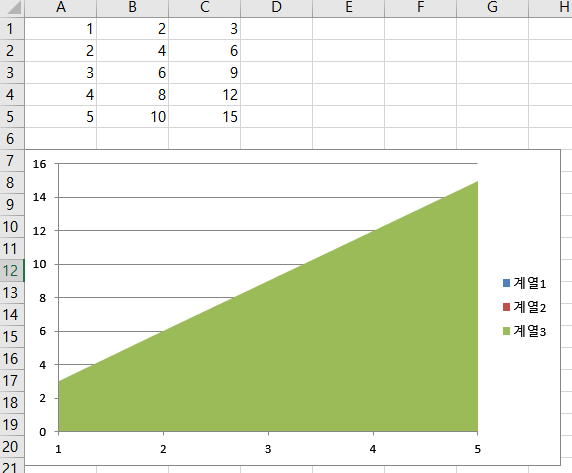
area
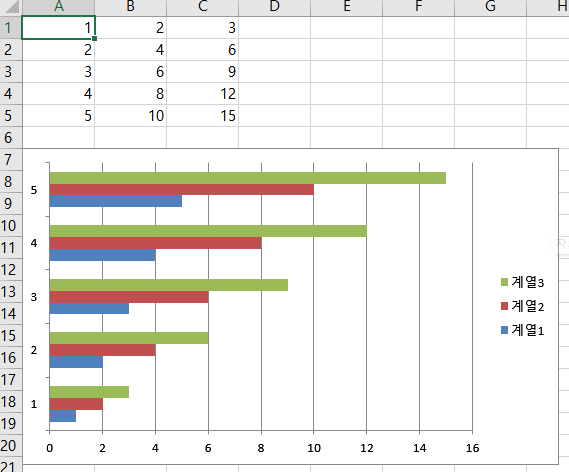
bar
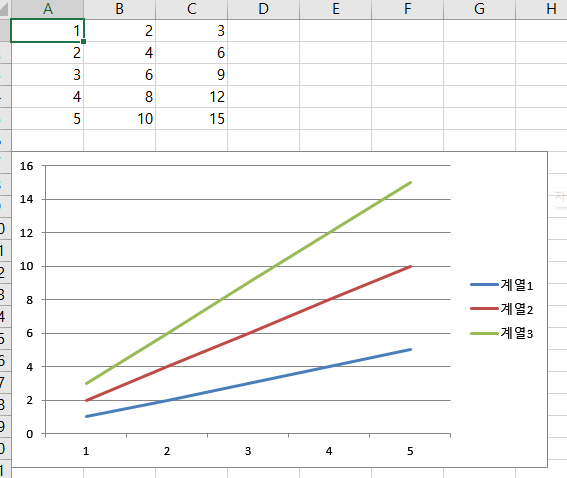
line
pie
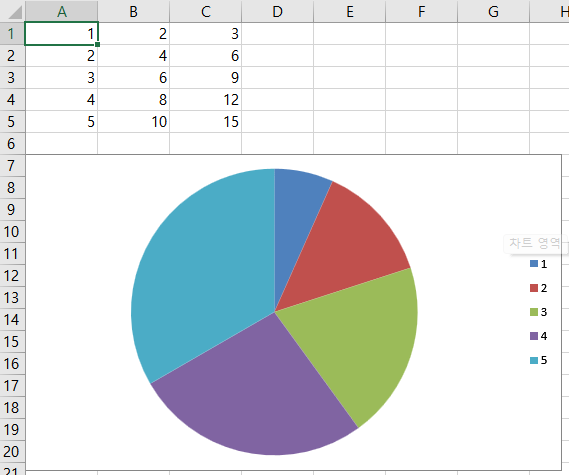
doughnut

scatter
stock
radar
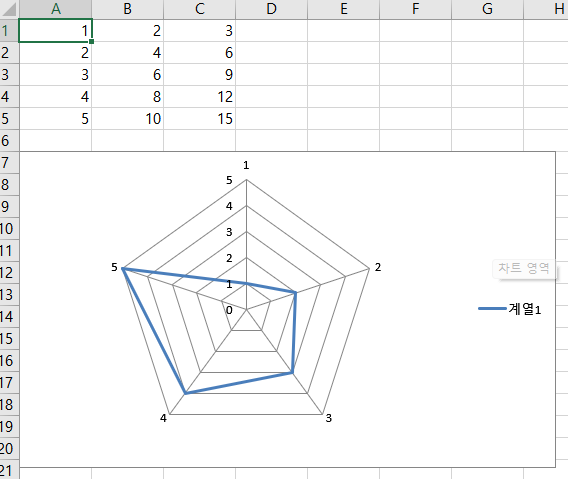
'개발 > Xlsxwriter' 카테고리의 다른 글
| xlsxwriter 도넛형 차트 그리기 (1) | 2023.11.29 |
|---|---|
| xlsxwriter 차트 그리기(add_series) (0) | 2023.11.25 |
| xlsxwriter 셀 테두리 변경 (0) | 2023.11.23 |
| xlsxwriter 폰트(크키,색상,굵기,배경색) 변경 (0) | 2023.11.23 |
| xlsxwriter 튜토리얼(3) (0) | 2023.11.21 |